
Your whole company in one system — from the request to the approval to the entry
Requests and e-signature approvals, inventory and sites, purchasing, clients and invoices, treasury and accounts, payroll — on the phone and the laptop, with a private copy for your company.
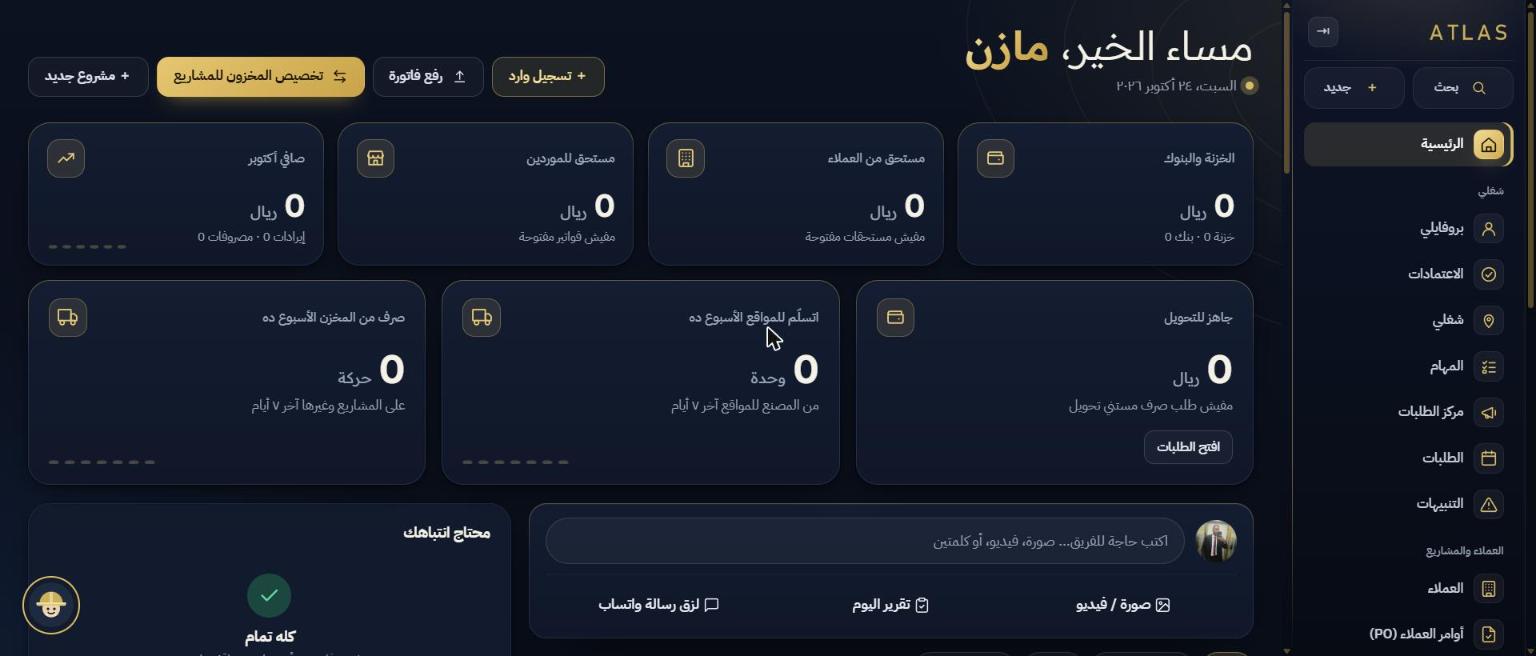
Work keeps moving, but nobody knows where the materials are or who approved what
Materials leave and never come back
Handed to the site without a document. At the end of the project nobody knows what was consumed, returned or damaged.
Approvals on WhatsApp
"OK, pay it" is a message buried under a hundred others. Who approved? When? For how much?
Invoices and progress bills by hand
Every bill is computed from scratch in Excel, and any mistake shows up months later.
Custody without settlement
The supervisor takes cash, invoices pile up in a drawer, and the settlement is postponed until the number is lost.
One document travels from the site to the ledger with no re-entry
The request starts in the field
The supervisor or department requests from the phone: items, quantities and a photo. It reaches the store and purchasing instantly, and nobody retypes it.
Approval on a chain, by e-signature
You define who signs first and who next. Each person signs from the phone, nothing executes until the last signature — and the signature appears on the printed document.
The store issues and the site takes custody
Stock is deducted and the materials become the site's custody: consumed, returned or damaged. Cost becomes an entry automatically.
The invoice goes out and the entry posts itself
A progress bill or ZATCA e-invoice with QR, and on approval the entry is posted to the ledger with no accountant re-entry — the same for vouchers and payroll.
The same screen on the phone and the laptop
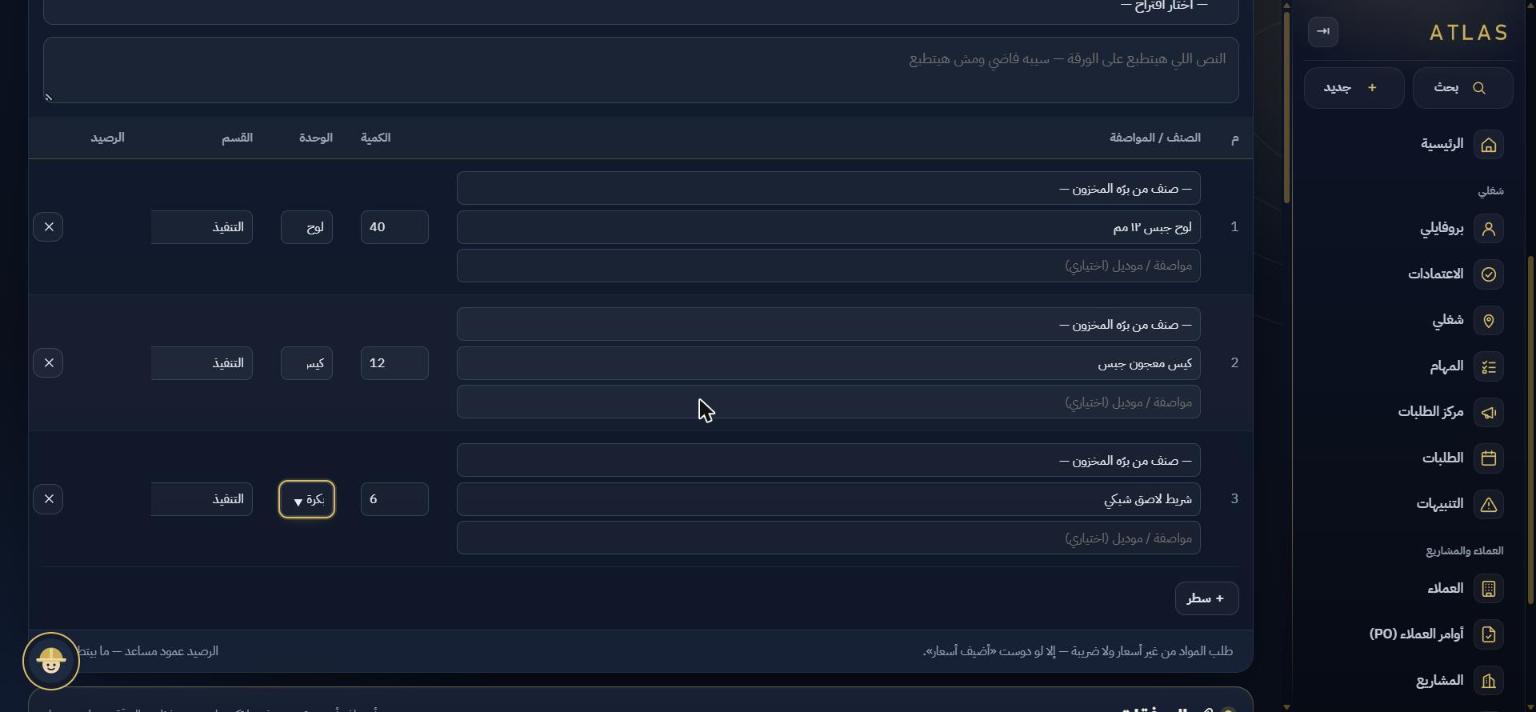
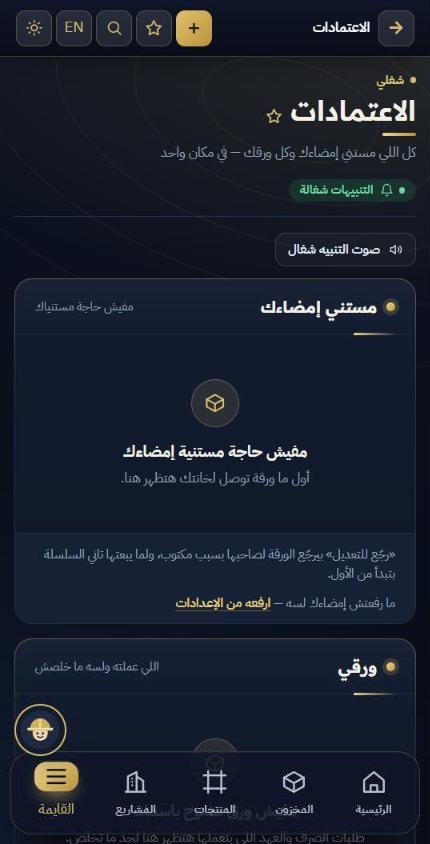
Every department has its place — and the document moves from one module to the next
Scroll down and the modules move sideways
Requests and approvals
Material requests, purchase orders, payment requests and manual entries, each on an e-signature approval chain.
Approval chains · notificationsInventory and sites
Stock per item by a clear formula, and custody per site: delivered, consumed, returned or damaged.
Counts · custody · material costClients and invoices
Client PO → project → delivery → progress bill or tax invoice → collection. Profitability per project.
Progress bills · retentions · QRPurchasing and suppliers
Request → PO → receiving → supplier invoice → installment payments. A statement per supplier.
POs · agingTreasury and accounts
Multiple cash boxes and banks, reconciliation, automatic entries, trial balance, VAT return, income statement.
General ledger · reportsEmployees and payroll
Employee files and documents, approved payslips that post their entries, employee custody and settlement.
Files · payslips · custodyAnd 5 more modules
Production, site reports with photos, the mobile app, the private copy, and the AI assistant.
All features →One system, one copy per company, from the field to the ledger
Any company that buys, sells and delivers — and here are examples
The same modules work for a trading, services or manufacturing company. The field industries below get the most out of site custody and photo reports.
Contractors
Progress bills and retentions, material custody on every site.
Read more →Signage and advertising
Production with BOMs, install and dismantle, banners by the metre.
Read more →Scaffolding and installation
Install, dismantle and re-install, progress by what is installed.
Read more →Workshops and factories
Raw materials, production orders and tax invoices.
Read more →A copy for your company alone — not an account on a shared system
- A private databaseA separate cloud project for your company; its data never mixes with anyone else's.
- Your own URL and domainSuch as atlas.yourcompany.com, and nobody but your users can create an account.
- Backups to your own Google DriveYour data stays with you, not only with us.
- A log of every actionWho did what and when — from the first request to the last entry.
A one-time setup fee + a yearly subscription per company
No per-user pricing. Setup covers creating your copy, loading data and training; the subscription covers hosting, updates and support.
Before you request a demo
Does every company really get its own copy?
Yes. Every client has a separate database project and a separate URL. No table is shared between two companies.
Where is our data stored?
In your company's own database on a cloud service (Supabase), with the app on Cloudflare at your own URL, plus backups to your own Google Drive.
Does it work on the phone?
Yes. It installs as an app without an app store, and the screens were designed for the phone from the start.
How do e-signature approvals work?
Every document type has an approval chain you define in settings. Each person is notified on their turn and signs from the phone; nothing executes until the last signature.
Is there a tax invoice and a ZATCA integration?
Yes. A tax invoice with a QR code integrated with ZATCA, and the VAT return report is ready.
We have existing books — how do we start?
With opening balances for every client, supplier and employee, plus inventory, cash and bank balances as of the start date.
How much does it cost?
A one-time setup fee plus a yearly subscription per company, with no per-user pricing. Figures are quoted on request — request a quote.
See ATLAS on your own work — not on a sample
A 30-minute demo online or at your office in Riyadh. Bring one of your live projects and we run it through the system in front of you.